


Momento App turns a simple QR code on the table into a shared photo album, filled with photos and videos from your guests — no app to download, no account to create.
Here’s everything that changed this week, explained two ways: once for everyone, and once for the engineers.
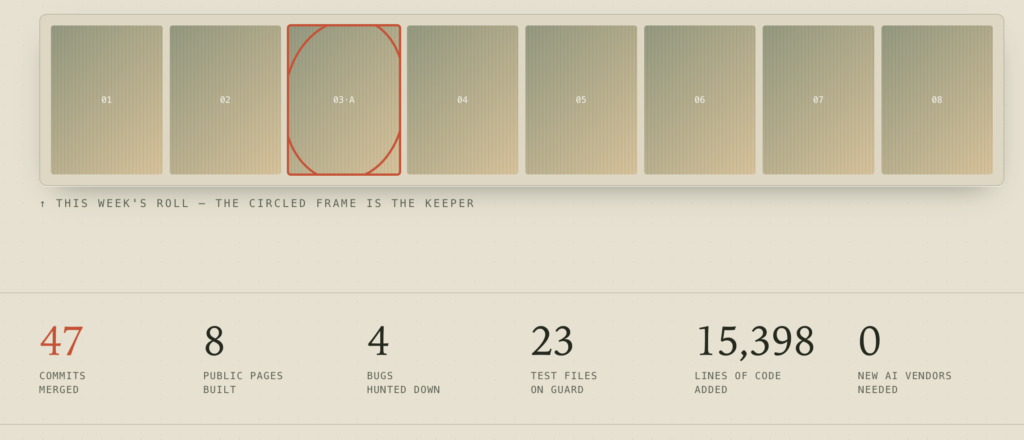
It was a week of two halves. Half the time, we were building — a highlight-reel video for every event, a way for hosts to request specific photos from guests, and customisable printed QR signs that guests could colour in themselves. The other half, we were playing detectives, tracking down bugs that only appeared on a stranger’s iPhone at someone’s wedding.
Below, each story is a “frame” from the week’s roll. You can flip the switch up top from Explain simply to Under the hood at any time. The wording changes; the story stays the same.
New Features & User Experience Improvements
Every event now gets its own highlight-reel video.
You know those little recap videos your phone makes at the end of the year? Momento App now does the same for a party. Once the photos stop rolling in, the app quietly picks out the best moments and stitches them into a short 90-second video that the host can watch back and share.
Here’s the honest part: we shipped it once, took a look, and admitted it wasn’t really a video yet. The “download” button simply handed people a ZIP file full of loose photos. So we went back and rebuilt it to create an actual movie, complete with smooth fades between shots.
We also made sure that if the video generator ever hiccups, guests still get a seamless photo slideshow instead of an error message.
Hosts can now nudge guests toward the shot they want.
Ever wished you had more photos from the dance floor? Hosts can now post a quick photo request — “Need more dance-floor photos!” — and every guest sees it in a banner above the photo feed, with a one-tap link to upload their own. No app to download. No sign-up. Just pick a ready-made request or write your own.
The wedding-guest error message that made no sense.
Some guests on iPhones tapped Upload and got this: “The string did not match the expected pattern.”
It had nothing to do with strings or patterns. It was pure gibberish. Behind the scenes, a small service acting as a kind of traffic cop had stopped responding. A chain of seemingly minor mistakes turned that outage into a completely baffling error message on a guest’s screen, right in the middle of a real event.
FOLLOW THE TRAIL
1. The rate-limiter’s Redis host stopped resolving — ENOTFOUND. Networking, not code.
2. Because .limit() ran outside the try/catch, the failure escaped the route and the server returned a raw 500 that wasn’t even JSON.
3. The upload page called .json() on that body before checking the status — so it tried to parse an error page as data.
4. Safari’s JSON parser failed with its famously cryptic “string did not match the expected pattern” — and we showed it to the guest verbatim.
Two independent bugs, two fixes. checkRateLimit() now wraps .limit() and fails open — a dead Redis is abuse control going offline, not an authorisation boundary, and shouldn’t take uploads down platform-wide. And readJson() reads the body once as text, so a route that dies early now reads as a plain “Could not start the upload (HTTP 500).”
The upload bar that hit 100% before anything had uploaded.
Tap Upload, and the progress bar jumped straight to 100% — then sat frozen while a 40MB video slowly made its way up. Not exactly reassuring when you’re waiting for an upload to finish. Now the bar tracks the actual bytes leaving your phone, so progress reflects what’s really happening, whether you’re uploading a large video or a small photo.
The background jobs that a “www” quietly killed.
Behind-the-scenes tasks — building recaps, sending reminders, and more — were silently failing. The culprit turned out to be one of the most boring things on the internet: the little rule that adds “www” to a web address. Browsers barely notice the difference. Our job-runner did.
Colour-your-own printed QR signs — that still scan.
Hosts can print a little sign featuring their event’s QR code and put it on the tables. Now they can customise it to match the wedding or party: pick a background colour and an ink colour, and everything in between adjusts automatically to keep the design looking balanced. Best of all, the app quietly checks that the code still scans, even with pale, pretty colours.
Eight public pages, matched to the design down to the pixel.
We built out the public-facing website with eight pages, each designed around a different way people use Momento App: weddings, birthdays, QR-code photo uploads, shared albums, and more, plus a Contact page. Every page was matched to the designer’s mockup down to the pixel. We also gave search engines clearer instructions about which pages to show and which to keep private.
Reminder emails that stop pretending they were sent.
New hosts get a friendly nudge if they haven’t finished setting up their event. But we discovered that reminders could be marked as “sent” even when the emails never actually went out. Now a reminder only counts as sent once delivery is confirmed — and older hosts who slipped through the cracks are automatically picked up too.
THE KIT — What was in the toolbox?
The same small, boring, reliable set of tools did all of it:
Next.js 16 * React 19 – app framework & UI
The foundation everything sits on. This week it gave us tidy file-based routes for robots.txt and sitemap.xml, and rendered all eight new marketing pages.
Upstash QStash – background job runner
Runs slow work out of sight: rendering recaps, sending reminder emails. Also the star of a bug — it downgrades POST to GET across a redirect.
Supabase – database + access rules
The database, with row-level security deciding who can read what. New this week: tables for photo requests, recap items, and reminder tracking.
Motion – animation
Powers the smooth client-side slideshow — which doubles as the safety net whenever the server-rendered recap video can’t be produced.
Resend – transactional email
Delivers the onboarding nudges. We taught it to report real failures so a bounced reminder gets retried instead of marked done.
Cloudinary – photo & video storage
Stores every guest photo — and its create_slideshow API is what stitches the curated shots into a real highlight-reel video with crossfades.
Upstash Redis + Rate limit – abuse control
The traffic cop that throttles floods of requests. When its host vanished, we made it fail open so uploads survive without it.
Vitest – automated tests
23 test files stand guard over the API routes, so a fix in one corner doesn’t quietly break another. Nearly every feature shipped with tests.
The playbook
What guided our decisions:
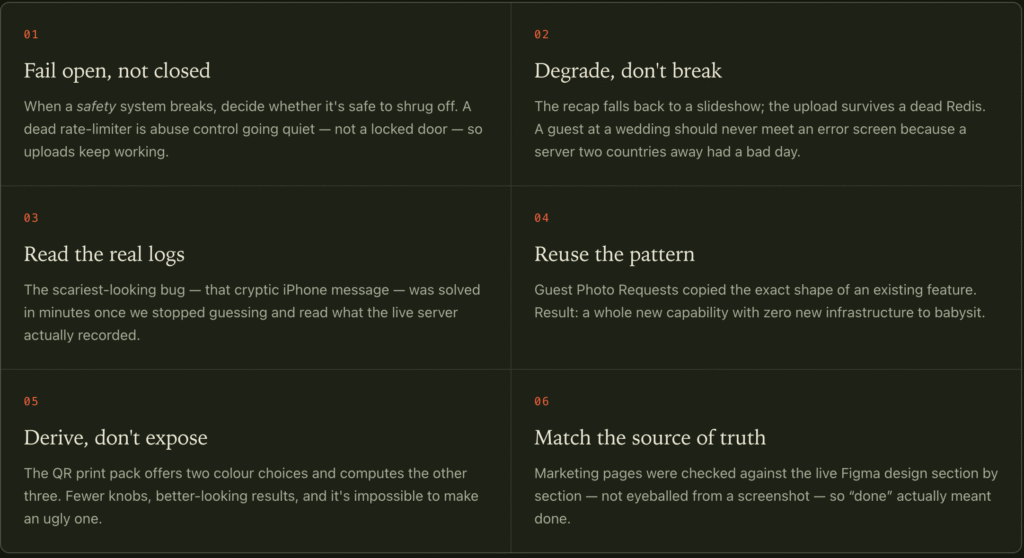
Beyond the tools and the code, a handful of principles shaped how we approached the work this week:
Planning a wedding, birthday, anniversary, or corporate event? Give your guests a Momento App QR code and bring everyone’s photos and videos together in one shared album — complete with a 90-second highlight reel to relive the best moments.
No app to download. No account to create. Just scan, upload, and enjoy!